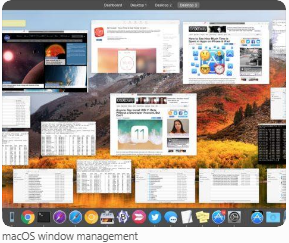
Let’s see is it possible?
The short answer: No, not in any practical or reliable sense. An Apple iMac with an M-series processor may be powerful enough to handle demanding multitasking, hundreds of browser tabs, and multiple applications. However, opening 5,000 individual windows simultaneously is a completely different challenge.
The important distinction is between what a computer can theoretically attempt and what it can comfortably run in everyday use.
There is also an important detail: the exact specifications and capabilities of an iMac M6 should be verified against Apple’s official product announcement. A processor’s generation alone does not determine how many windows a Mac can handle.
The truth about the iMac M6 and 5,000 windows
M6 officially announced October 27, 2026
Apple’s newly announced iMac M6 is a genuine upgrade. According to Apple’s published specifications, it comes with a 10-core or 12-core CPU, a 10-core or 12-core GPU, and 16GB of unified memory as standard, configurable up to 32GB on selected models.
That makes it a capable desktop computer, but it does not mean it can comfortably run thousands of active windows.
Can Apple iMac M6 Open 5,000 Windows at Once? Here’s the Truth
Introduction
Apple computers are known for their performance, elegant design, and ability to handle demanding workloads. With the introduction of the new Apple iMac M6, many users are wondering just how powerful this machine really is. One particularly interesting question is whether the iMac M6 can open 5,000 windows at the same time.
It sounds like an unusual challenge, but it raises an important question about modern computing: How much multitasking can a powerful computer actually handle?
The honest answer is that the iMac M6 is designed for demanding multitasking, but opening 5,000 active windows is not a realistic everyday workload. While there is no published Apple specification establishing a universal maximum of 5,000 windows, several hardware and software limitations make such a workload impractical.
Let’s understand why.
1. What Makes the Apple iMac M6 Powerful?
The 2026 iMac M6 features Apple’s latest M6 silicon, designed to deliver improved processing performance, graphics capabilities, and on-device artificial intelligence.
According to Apple’s official specifications, the computer offers:
- Apple M6 processor with a 10-core or 12-core CPU.
- 10-core or 12-core GPU, depending on configuration.
- 16GB unified memory as standard.
- Configurable memory options of up to 32GB on selected models.
- SSD storage configurations starting at 256GB.
- A 24-inch 4.5K Retina display.
- Up to four Thunderbolt 4 ports on selected configurations.
These specifications make the iMac suitable for everyday productivity, professional applications, creative projects, programming, and demanding multitasking.
However, processing power is only one part of the equation. Memory capacity, software efficiency, and storage performance are equally important when hundreds or thousands of applications and windows are involved.
2. Can It Really Open 5,000 Windows?
This is where things become interesting.
Technically, macOS does not advertise a simple universal window-count limit that tells users exactly how many windows an iMac can open.
The number depends on several factors:
- Which applications are running.
- How much memory each window consumes.
- Whether windows contain active websites or complex documents.
- Whether applications are processing data in the background.
- How much memory macOS and other system services require.
For example, opening 5,000 lightweight document windows would create a different workload from opening 5,000 browser windows containing videos, animations, and complex websites.
The second situation would be considerably more demanding.
Therefore, it would be misleading to claim that every iMac M6 can open exactly 5,000 windows or that it will definitely crash at a particular number.
The more accurate conclusion is that 5,000 simultaneously active windows are beyond what an ordinary iMac configuration should be expected to handle comfortably.
3. Why Random access memory Matters More Than You Think
One of the biggest limitations when opening thousands of windows is random access memory.
The iMac M6 uses unified memory, which is shared by the CPU, GPU, and other system components. This allows efficient communication between different parts of the computer, but the available memory still has a physical limit.
Consider the following hypothetical example:
| Memory used per window | Memory for 5,000 windows |
| 1 MB | 5 GB |
| 5 MB | 25 GB |
| 10 MB | 50 GB |
| 50 MB | 250 GB |
| 100 MB | 500 GB |
These figures are illustrations, not measured memory consumption for actual Mac windows. Real applications have different memory requirements, and some resources are shared between windows.
Nevertheless, the example demonstrates the problem.
Even if every window required only 10MB, 5,000 windows would require approximately 50GB of memory. That is already more than the maximum 32GB unified memory offered by the announced iMac M6 configurations.
In reality, modern browser pages and professional applications can consume substantially more memory.
This is why RAM capacity matters when choosing a computer for heavy multitasking.
4. Does the M6 Processor Have Enough Power?
The Apple M6 is designed to deliver strong CPU and GPU performance.
However, having a powerful processor does not automatically mean that a computer can manage an unlimited number of windows.
Think of the CPU as the engine of a car and RAM as the available workspace for its tasks.
A powerful engine helps a car perform better, but it cannot carry an unlimited amount of cargo.
The same principle applies to computers.
The M6 processor can handle multiple demanding applications, but thousands of simultaneously active windows would introduce additional processing requirements.
For example, if thousands of windows were continuously refreshing websites, playing videos, running scripts, or processing documents, the CPU would have to manage an enormous amount of work.
The computer could become slower, applications could stop responding, and the overall experience could deteriorate.
The M6 is powerful, but it is not unlimited computing hardware.
5. What About Opening 5,000 Safari Tabs?
There is another important distinction between windows and tabs.
A browser tab is not necessarily the same as a separate application window.
For example, Safari can keep multiple websites open within a single browser window. This makes browsing and switching between websites more convenient.
However, opening 5,000 tabs would still create a substantial workload.
Websites use different amounts of memory depending on their content. A simple text-based website may require relatively few resources, while a website containing video, advertisements, interactive features, and complex scripts may require much more.
Safari and macOS can manage inactive tabs and other resources to reduce unnecessary memory usage, but this does not make thousands of tabs free from resource limitations.
If you regularly work with a large number of websites, keeping only the necessary tabs active and using bookmarks or tab groups is a much better approach.
6. Can macOS Handle Thousands of Windows?
macOS includes several useful features for managing multiple applications and windows.
These features help users stay organised without constantly opening and closing applications.
Mission Control
Mission Control provides an overview of open application windows, making it easier to switch between tasks.
Multiple desktops
macOS allows users to create separate desktop spaces for different activities. Apple’s macOS 27 documentation describes support for up to 16 spaces.
For example, you could use one desktop for business applications, another for browsing, and another for creative work.
Stage Manager
Stage Manager helps organise applications and their windows by keeping the current task in focus while providing convenient access to other groups of applications.
These features improve organisation, but they do not increase the physical memory available to the computer.
In other words, better window management is not the same as unlimited window capacity.
7. What Happens If You Try to Open Too Many Windows?
If you continuously open more windows than your computer can comfortably manage, several problems may appear.
Increased memory pressure: macOS may begin compressing memory and using storage as swap memory to accommodate additional workloads.
Slower performance: Switching between applications may become less responsive.
Application instability: Some applications may freeze, become unresponsive, or unexpectedly close.
Increased storage activity: When the system relies heavily on swap memory, the SSD may experience additional read and write activity.
Poor user experience: Finding and managing thousands of windows becomes difficult, even if the computer remains operational.
Apple provides a built-in tool called Activity Monitor that helps users understand how their computer is performing.
Open Activity Monitor, select the Memory tab, and check the Memory Pressure graph.
Green generally indicates that memory is being managed efficiently. Yellow suggests that memory resources are becoming constrained, while red indicates significant memory pressure.
This is a much more useful way to evaluate real-world performance than simply counting open windows.
8. Which iMac M6 Configuration Is Better for Heavy Multitasking?
If multitasking is your priority, choosing the right memory configuration is important.
Here is a practical comparison of the announced options:
| Configuration | Best suited for |
| 16GB RAM | Everyday work, browsing and office applications |
| 24GB RAM | Heavier multitasking and creative work |
| 32GB RAM | More demanding professional workloads |
These are general usage recommendations, not guaranteed limits on the number of windows.
For users who regularly work with large projects, multiple applications, and resource-intensive websites, the 24GB or 32GB configuration is worth considering.
Remember that unified memory is built into the Apple silicon platform. You should select the appropriate memory configuration when purchasing rather than assuming you can upgrade it later.
9. Is the iMac M6 Good for Professional Work?
Absolutely.
The inability to guarantee 5,000 simultaneous windows does not make the iMac M6 a weak computer.
It is designed for a broad range of professional and personal workloads, including:
- Video editing and content creation.
- Graphic design and photo editing.
- Software development.
- Business management.
- Office productivity.
- Research and online learning.
- AI-assisted workflows.
- Everyday multitasking.
The 4.5K Retina display also provides a sharp workspace for documents, creative projects, and multiple applications.
Users who need more screen space can connect up to two supported external 6K displays, depending on the iMac configuration.
For most professionals, managing a reasonable number of active windows across multiple desktops and displays is far more productive than trying to open thousands of them simultaneously.
10. How to Get the Best Multitasking Performance From Your iMac M6
If you want your iMac M6 to remain responsive, follow these practical recommendations:
- Avoid keeping unnecessary applications open.
- Use Safari tab groups to organise websites.
- Close browser tabs that you no longer need.
- Use Mission Control to organise your workspace.
- Take advantage of multiple desktop spaces.
- Monitor memory usage through Activity Monitor.
- Avoid running multiple resource-intensive applications unnecessarily.
- Keep macOS and your applications updated.
- Choose a higher-memory configuration if your workload demands it.
- Use external displays when you need more screen space.
These simple steps can make a significant difference to your everyday computing experience.
Final Verdict: Can the Apple iMac M6 Open 5,000 Windows?
The Apple iMac M6 is a powerful desktop computer, but opening 5,000 windows simultaneously is not a realistic performance expectation.
Its M6 processor, unified memory architecture, and modern macOS features make it an excellent choice for demanding everyday multitasking, creative projects, and professional applications.
However, the standard 16GB memory configuration and even the optional 32GB configuration have physical limitations.
The actual number of windows a system can handle depends on the applications, their memory consumption, and what those windows are doing.
The truth is simple: The iMac M6 is built for powerful multitasking, not unlimited multitasking.
If your goal is to work with hundreds of browser tabs, multiple applications, documents, and professional software, the iMac M6 is worth considering. But if you genuinely need thousands of simultaneously active application windows, you should investigate a workstation with substantially more memory and test your particular workload before purchasing.
A powerful computer is not defined by how many windows it can open. It is defined by how reliably and efficiently it performs the work you actually need.
Images

References and further reading
- Apple – Official iMac M6 announcement (October 27, 2026)
- Apple – iMac M6 technical specifications
- Apple Support – View memory usage in Activity Monitor
- Apple Support – Work in multiple desktop spaces
- Apple Support – Move and arrange app windows
- Apple Support – Organise your desktop with Stage Manager
A youtube video:
A pinterest image:
Other reads:
Fixing statues
Honey guide
Star wars game review
claude problems and solutions
— youtube shorts problems and solutions
— android gemini live problems and solutions
— iphone problems and solutions
— ios 26.5 problems and issues
— john ternus problems and their sol
— chatgpt 2.0 images problems and solutions
— chatgpt 5.5 and deepseekv4 problems with soln
— youtube tv multiview problems and solutions
— Yahoomail problems and solutions
— ios 26.4 widgets problems and solutions
— internal storage problems and solutions
— ev charging problems and solutions
— waterproof iphone problems and solutions
— mail problem in iphone and android
— the popular game problems and fix
— googlebook problems and solutions
— tabletop tavern game fix
— make money using google gemini spark fix
— popular toy guide and analysis
— google antigravity 2.0
— perplexity bumblebee problems
— enter the chronosphere review
— I found a new way to make money online problems fix
— TRENDS MARKETING
— Game review nintendo
— 100 ai tools of 2027
— IPHONE PRICE INCREASE
— 30 REPETITIVE TASKS AUTOMATED
— GTA 6
— Learn golf easily
— ios 26.5.2 detailed guide
Fixing statues
Honey guide
Star wars game review
claude problems and solutions
— youtube shorts problems and solutions
— android gemini live problems and solutions
— iphone problems and solutions
— ios 26.5 problems and issues
— john ternus problems and their sol
— chatgpt 2.0 images problems and solutions
— chatgpt 5.5 and deepseekv4 problems with soln
— youtube tv multiview problems and solutions
— Yahoomail problems and solutions
— ios 26.4 widgets problems and solutions
— internal storage problems and solutions
— ev charging problems and solutions
— waterproof iphone problems and solutions
— mail problem in iphone and android
— the popular game problems and fix
— googlebook problems and solutions
— tabletop tavern game fix
— make money using google gemini spark fix
— popular toy guide and analysis
— google antigravity 2.0
— perplexity bumblebee problems
— enter the chronosphere review
— I found a new way to make money online problems fix
— TRENDS MARKETING
— Game review nintendo
— 100 ai tools of 2027
— IPHONE PRICE INCREASE
— 30 REPETITIVE TASKS AUTOMATED
— GTA 6
— Learn golf easily
— ios 26.5.2 detailed guidebracket
— new tax bracket guide 2027

Linkedin -- www.linkedin.com/in/shishir-bhargava-68a8b4257
- I Found a Way to Avoid Overpaying Federal Income Taxes in 2027. Check This Before Filing! - November 6, 2026
- Can the Apple iMac M6 Open 5,000 Windows at Once? Here’s the Truth - November 3, 2026
- Final Fantasy Resonance Problems and Solutions: Complete Walkthrough - October 26, 2026
⚠️ Most People Discover Trends When It's Too Late
Join the Trends Goldmine Insider List and get emerging AI tools, future products, viral keywords, and hidden opportunities before they hit the mainstream.
While everyone else is chasing yesterday's trends, you'll be spotting tomorrow's opportunities first.
🚀 Free Weekly Trend Alerts • No Spam • Unsubscribe Anytime
SIGN UP NOW & RECEIVE A SHORT REPORT ON HOW TO MAKE FORTUNE WITH TRENDS.Trusted by readers who want to discover opportunities before the crowd.