
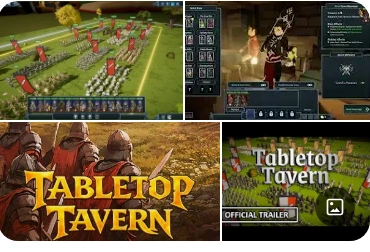
Image credit — tabletop tavern offilcial website.
The gamers are very excited to play this new game and can’t wait to experience the thrill. I will suggest you that you check the below flowchart for immediate short fixes for the problems you find while playing the game. Then, if you want more help, you can read further in detail.
Quick Fix Flowchart
GAME NOT WORKING?
│
▼
Check System Requirements
│
▼
Update GPU Drivers
│
▼
Verify Steam Files
│
▼
Disable Overlays & Background Apps
│
▼
Reduce Graphics Settings
│
▼
Delete Shader Cache
│
▼
Switch to DX11 Launch Mode
│
▼
Game Running Smoothly
I used to play games whole day when I was a kid. Rising early in the morning till late night, video games had became a integral part of the life. Now, why playing games is important?
In today’s modern world, AI is sitting in your pocket to do any task it might be given. Many fear it may might replace humans at work and other task.
Ah ! You see the problem. If you do not gain an upperhand on AI, the imagined situation will come true. But remember AI is a model trained and designed by humans. It cannot outsmart the creativity, strategic reasoning and problem skills of humans.
That’s a big advantage for you. And games are very helpful to develop these skills. The different tasks, planning and execution need to be done while playing games all contribute to overall development.
This is what my insight was on playing games and how it will help you.
Now, The first time gamers launches Tabletop Tavern, they can expect an intense fantasy strategy experience.
The trailers looked incredible. Massive fighting. Tactical formations. Roguelike strategy mixed with tabletop chaos.
But ten minutes into the demo, the user on the reddit said that excitement turned into frustration.
The game suddenly froze.
Then came stuttering.
Then random crashes.
The atmosphere that looked cinematic in trailers now felt like a broken slideshow.
At first, gamers thought their laptop was too weak. But then he discovered something strange:
Players with expensive gaming PCs were also facing:
- crashing
- low FPS
- lag spikes
- loading freezes
- random stutters
- black screen problems
Across forums and gaming communities, players were searching for one thing:
“How do we fix Tabletop Tavern quickly?”
And surprisingly, the fastest solutions were not the complicated ones.
What Is Tabletop Tavern?

Before I tell you the fix for the game. You must know actually what it is about.
Tabletop Tavern is a fantasy roguelike RTS (Real-Time Strategy) game inspired by tabletop fighting and tactical manpower-building games. Players recruit units, create synergies, and command the manpower across procedurally changing clashes.
A real-time strategy game (RTS) is a type of Real-time strategy where players control units, buildings, or resources continuously in real time instead of taking turns.
The game combines:
- roguelike progression
- tactical clashes
- fantasy factions
- replayability
- real-time manpower control
The official planned release window is currently:
- Q2 2026 on Steam.
The playable demo released on:
- January 6, 2025.
Even in demo form, the game has already attracted attention from strategy fans.
Many players describe it as:
“The number one strategy game
The scenario scale feels impressive, and the tactical depth is surprisingly attractive for an indie title. The replayability system also keeps each run feeling different.
However, like many ambitious indie strategy games, optimization problems are currently one of the biggest complaints among players.
Why Tabletop Tavern Has Problems
It is just technology used to make the product combining different files by a human like me and you. So, the idea of not having the problem cannot be neglected. The biggest reason is simple:
I will explain you in one sentence each. The game pushes:
- hundreds of moving units — the game can control and display many characters, vehicles, or people moving at the same time.
- real-time AI calculations — the computer constantly makes instant decisions for opponents, allies, and game behavior while the game is running.
- physics interactions– objects react realistically to forces like gravity, collisions, explosions, or movement.
- terrain effects– the environment affects gameplay
- procedural systems– parts of the game are automatically generated by algorithms, like maps, missions, or weather, instead of being manually designed every time.
all at once.
For weaker systems, this becomes overwhelming.
Even strong PCs may struggle if:
- shader cache becomes corrupted — temporary graphics files used to speed up rendering get damaged, causing stuttering, glitches, or crashes.
- drivers are outdated — the software that helps the operating system communicate with hardware (especially the GPU) is old and may not support newer games or fixes.
- memory usage spikes — the game suddenly uses a large amount of memory, which can slow performance, freeze the system, or cause crashes.
- overlays interfere with rendering — pps that display extra information on top of a game (like FPS counters, Discord, or recording tools) can conflict with the game’s graphics rendering process.
Understanding the Hard Terms
| 1. Stuttering means the game pauses for tiny moments repeatedly. 2. FPS means: “Frames Per Second”. Higher fps means smoother gameplay. 3.Shaders are tiny graphics instructions that tell the GPU how to render effects. 4.DirectX is the graphics communication system between the game and Windows. 5. |
The Fastest Fix Players Are Using

After testing dozens of fixes, most players found that these solutions work fastest. Let me share with you now.
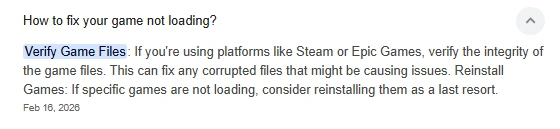
Fix 1 — Verify Steam Files
This is the first thing many players now do. And this is I will tell you to try first:
STEPS:
- Open Steam
- Right-click Tabletop Tavern
- Properties
- Installed Files
- Click:
Verify Integrity of Game FilesThis checks for:
- missing files
- corrupted downloads
- broken updates
Many random crashes disappear after this step. Saw how simple that was . Moving on to the next.
Fix 2 — Lower Unit Rendering Load
One hidden issue is that the game renders large numbers of units simultaneously.
Players found major improvements after lowering:
- shadow quality — controls how detailed and realistic shadows appear in the game, affecting lighting accuracy and performance.
- terrain effects — visual or gameplay effects caused by the environment, such as mud, snow, water, or uneven ground influencing movement and appearance.
- particle density — determines how many small visual effects like smoke, sparks, dust are displayed at once.
- anti-aliasing — a graphics technique that smooths jagged edges on objects to make the game look cleaner and more realistic.
Especially useful for:
- low-end laptops
- integrated graphics PCs
Fix 3 — Delete Shader Cache
Gamers are finding this to be one of this as a very best solution. This became one of the most effective community fixes.
Steps:
- Press:
Windows + R- Type:
%localappdata%- Find the game cache folder
- Delete shader/temp cache files
This forces the game to rebuild fresh graphics data.
Result:
— smoother gameplay
— reduced stutter–fewer freezes
Fix 4 — Disable Steam Overlay
This sounds small, but many players reported noticeable improvements. You can try and see whether it works for you or nnot.
How to do this:
Steam → Settings → In-Game
Disable:
Enable Steam OverlayOverlays sometimes conflict with:
- memory allocation – is the process of reserving and managing computer memory for programs, applications, or data while a program is running.
- rendering systems – is the part of software or a game engine responsible for generating and displaying visuals on the screen.
- fullscreen optimization – is a performance feature that improves how applications or games run in fullscreen mode.
Fix 5 — Force DX11 Launch
Many players discovered that forcing DX11 stabilizes performance. The experience has got much better.
Add This Launch Option:
-dx11inside Steam launch options.
This reduces:
- crashes
- black screens
- GPU instability
I will now give you a summarized screenshot which will help you to understand even better.
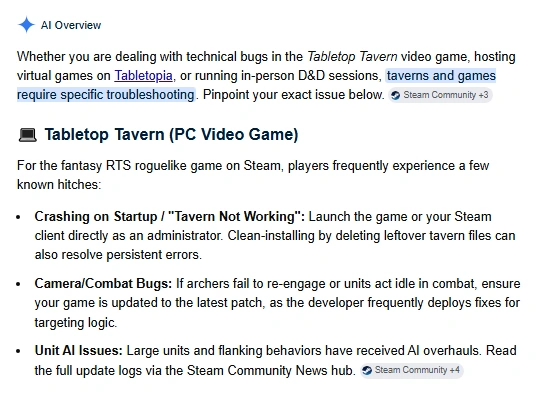
The Low-End PC Survival Setup
| Recommended Settings Setting Recommended 1. Resolution 1280×720 2. Shadows Low 3. Anti-Aliasing Off 4. VSync Off 5. Texture Quality Medium 6. Unit Density Reduced |
Why Indie Games Often Launch With Optimization Problems
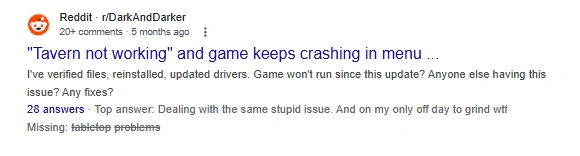
I decided to run a litmus test and find actually what are the factors contributing to these issues. Actually, something sparkled a thought in my mind just as a sunrays pass through dew drops. Modern indie games are becoming extremely ambitious.
Small teams now build:
- massive RTS systems
- procedural worlds
- advanced AI Configurations
But optimization takes enormous time.
Research on Steam game releases shows delayed or evolving optimization is extremely common among indie projects.
That’s why many players experience:
- unstable performance
- sudden patches
- changing release windows
especially during demos and early builds.
The “Two-Minute Emergency Fix”
A checklist to check immediately for making emergency quick fixes.
✅ Verify game files
✅ Restart Steam
✅ Disable overlays
✅ Delete shader cache
✅ Lower shadows
✅ Add -dx11
✅ Update GPU drivers
This fixes most issues quickly.
Final Thoughts
By the end of the day, Aarav gamers are getting the game running smoothly.
The stutters disappeared.
The crashes stopped.
The battlefield finally looked the way it was supposed to.
That’s the strange reality of modern PC gaming:
Sometimes the difference between a broken game and an amazing experience is just:
- one graphics setting
- one cache reset
- one hidden launch command
And for many players, the fastest fixes are usually the simplest ones.
REFERENCES:
| Official Steam page for Tabletop Tavern: Tabletop Tavern on Steam Tabletop Tavern demo release details: Tabletop Tavern Demo Steam release information and roadmap: Tabletop Tavern Release Info Community discussions about crashes and lag: Reddit Crash Discussion Reddit stuttering discussion: Reddit Stutter Thread Study about delayed Steam game releases: Steam Game Release Research |
Other problems and solutions:
A youtube useful video:
A useful pinterest pin:
Simple true facts:
2.
Check more about our website here.

Linkedin -- www.linkedin.com/in/shishir-bhargava-68a8b4257
- 2026 Lexus IS 350 F Sport: Shocking review - August 22, 2026
- Why Global Markets Can Turn Nervous Overnight | How to prepare for it - July 9, 2026
- Why Countries Are Competing for Rare Earth Minerals | Shocking Details Revealed - July 6, 2026
⚠️ Most People Discover Trends When It's Too Late
Join the Trends Goldmine Insider List and get emerging AI tools, future products, viral keywords, and hidden opportunities before they hit the mainstream.
While everyone else is chasing yesterday's trends, you'll be spotting tomorrow's opportunities first.
🚀 Free Weekly Trend Alerts • No Spam • Unsubscribe Anytime
SIGN UP NOW & RECEIVE A SHORT REPORT ON HOW TO MAKE FORTUNE WITH TRENDS.Trusted by readers who want to discover opportunities before the crowd.