


Data for the image : chatgpt
I am presenting before you a flowchart where you will have a prior understanding about the problem which we are going to discuss today. so, have a glance first.
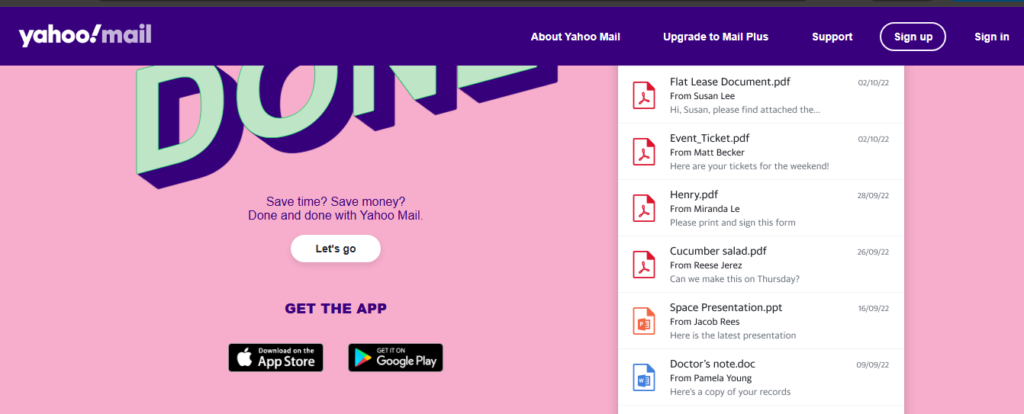
Image credit — Yahoo official website
Yahoo mail – A flashback
I woke up early in the morning and looked at the mobile with my eyes half opened still feeling sleepy. Usually, I never try to start my daily chores without some light refreshments but watching the WhatsApp app about how facilitated the way we communicate lit up my mind.
I still used to remember the older days where I had coins to insert at the local telephone booth for any sort of verbal communication. Just think about how the mode of communication has been improved with the time and has solved a big problem that could really be an mess.
So, today we will see about the yahoo mail issues which is one of the largest and oldest means of communication on internet. I started like any ordinary morning today. As I got up little early and prepared a cup of tea. The taste was wonderful with the ginger added in it.
I was getting ready to check the gmail feeling the cool air that was blowing in the verandah. When I saw the storage filling fast in gmail, I thought one email assigned for only professional responses is necessary.
That’s when I opened my laptop from the bag, connected the internet and searched for yahoo mail. I heard about the yahoo mail that it has very stylish user interface.
So, my excitement grew further, when I opened yahoo mail website. The home page itself made a classic feel with rich colors. Check the image above.
But something startling happened when I scrolled a little. A reader on reddit said that You open Yahoo Mail—and suddenly… there’s nothing. The screen freezes. The login fails. The message reads: “temporarily unavailable.”
You refresh. Again. Still nothing.
And just like that, you’re pulled into a quiet chaos millions have faced—Yahoo Mail problems today.
So, Today we are going to talk about yahoo mail problems along with the solutions. I have picked almost all the major issues with the yahoo mail and suggested a solution.
Let’s go at it one by one.
The Day Yahoo Mail Stopped Working

Image source — yahoo mail official website
It was a fine day where I was busy handling my research work for the next piece of content. A notification buzz from the google news alarmed me about the day was bringing in all over the world.
I quickly stopped my work and clicked the update. It said that thousands of users reported sudden login failures, missing emails, and complete access breakdowns. Many saw strange errors like “connection failure” or “no healthy upstream.”
It was something problems with the yahoo email.
Outage trackers showed spikes—meaning one thing:
It affected the users worldwide.
Let us first understand what is an outage and outage tracker is all about. An outage is a period when a service, system, website, app, or utility stops working or becomes unavailable. Examples include internet outages, power outages, or a cloud platform going down due to technical failures, maintenance, or network problems.
Even today, reports fluctuate—some days stable, some days disrupted.
Yahoo Mail Problems & Smart Solutions (Story-Driven Fixes)
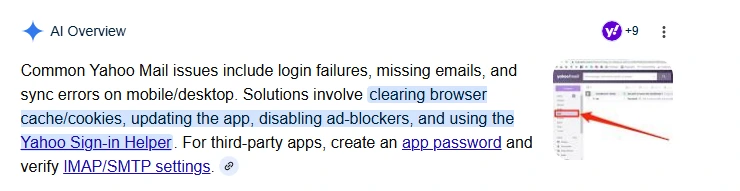
1. Yahoo Mail Not Working Today / Temporarily Unavailable
The Problem:
I read about this issue in detail in medium website. This is a very common Server outages or overload. Sometimes global. Sometimes regional.
The Smart Fix:
- First, you must check outage maps like Downdetector. It might give you possible hint.
- If it’s down → stop troubleshooting (seriously). Wait. You need to pause for a moment.
- I will urge you to Switch to app or incognito mode (this worked during real outages).
Insight: Most people waste hours due to lack of technical knowledge. But this isn’t rocket science. A day is sufficient to get the basic overview about it.
2. Yahoo Mail Authentication Failed

The Problem:
I was on my office table looking perplexed at the screen about the login error. I think that details wrong whether the user name or password. Until I discovered why that Login rejected—even with correct password.
Why it happens:
Infrastructure changes in 2025–2026 triggered widespread authentication glitches. It was a plain insight.
Innovative Fix:
- I will suggest you to Reset password once only (don’t retry repeatedly). Doing at beginning and storing at a safe place is a best practice.
- Do you know about VPN? A VPN (Virtual Private Network) is a service that creates a secure, encrypted connection between your device and the internet. It helps protect your data and privacy, especially when using public Wi-Fi networks.
- A VPN also hides your real IP address by routing your internet traffic through a server in another location. People use VPNs for safer browsing, remote work access, and accessing region-restricted content. Popular VPN providers include NordVPN, ExpressVPN, and Proton VPN. You can also Disable VPN temporarily. This can also help you to solve your error.
- Re-add account instead of retrying login
Counterintuitive truth: I found that many users have expereinced that Too many login attempts worsen the lockout. So, you must be very careful with the login attempts.
3. Yahoo Mail Not Working on iPhone & Android
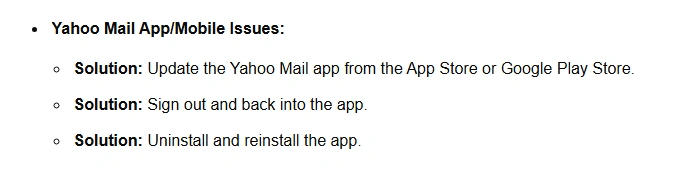
The Problem:
I was pouring water at the shrubs in my little garden. At that time, I took out my mobile to take a photo of a beautiful flower. And the App crashes, sync failure, or emails were not loading. This is the notification I received from my updates.
Fix like a pro:
- I quickly left all the work. I Removed, sign out & re-added account. And it worked.
- I also cleared up the app cache (Android).
- I made the decision to Update OS + Yahoo app. So, I went to settings and did the needful.
- You can also Use browser temporarily.
📱 These steps solve most mobile issues instantly.
5. Emails Not Receiving / Sending

The Problem:
A user from quora posted a question in a community forum about that his Inbox went silent. Outbox stuck. He did not knew what was going on? The fix that was applicable in this situation will be:
Fix:
- You need to Check spam & filters. Spam email refers to unwanted or unsolicited messages sent in bulk, usually for advertising, scams, phishing, or spreading malware. These emails are often sent to many people at once without their permission.
- Email services use spam filters to detect and move suspicious messages to a “Spam” or “Junk” folder. Common signs of spam include fake offers, unknown senders, urgent requests, and suspicious links or attachments.
- You need to Verify blocked addresses
- You need to Send test email to yourself
- You need to Check account storage
A server is a computer or software system that provides data, services, or resources to other computers, called clients, over a network or the internet. For example, when you open a website, your browser sends a request to a web server, which delivers the webpage back to you.
Servers are used for many purposes, such as hosting websites, storing files, running applications, managing emails, and handling online games. Examples include web servers, database servers, and cloud servers from companies like Amazon Web Services (AWS) and Microsoft Azure. Many times, filters—not servers—are the root cause of the problem.
6. Old Yahoo Mail Problems (Still Haunting Users)
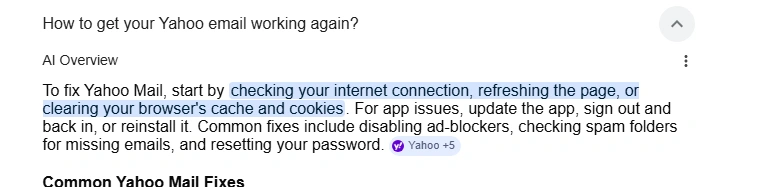
I was thinking about the internet and how it worked in the older times in nineteenth century while watching my favorite show on tv. It came to reflection that Some issues never truly left. They are basic ones like:
- Temporary Error 15 (server-side bug)
- Login loops
- Slow interface
These have appeared repeatedly in outages till today’s date 2025–2026.
A little glance over these terms I think might be helpful to you:
| Temporary Error 15 (server-side bug) This usually means the service’s backend servers encountered a temporary problem while processing a request. It’s typically not caused by the user’s device or internet connection, and it often resolves after retrying later or after the provider fixes the issue. Login loops A login loop happens when you successfully enter your credentials, but the app or website keeps sending you back to the login page instead of signing you in. Common causes include expired session cookies, browser cache problems, authentication bugs, or account/session sync issues. Slow interface A slow interface means the app, website, or software responds sluggishly — pages load slowly, buttons lag, or actions take longer than expected. This can be caused by heavy server load, poor optimization, weak internet connectivity, low device performance, or background processes consuming resources. |
Modern Fix:
You can always Switch device or browser immediately.
You Don’t reset everything—target the issue.
The Real Truth Nobody Tells You
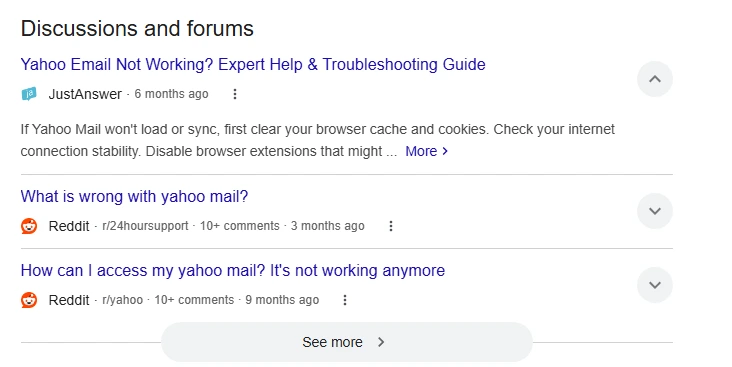
I have decide to try out the yahoo mail and want to see how it goes after analyzing what problems i might face. Most Yahoo Mail problems fall into just 3 root causes:
- Server outage (wait it out)
- Device/app conflict (reset smartly)
- Account sync/auth errors (reconnect, don’t retry )
MY UNIQUE INSIGHTS AND SOLUTION
| A universal solution idea: “Graceful Degradation Email Architecture” Instead of designing email systems as: Fully online OR fully broken design them as: Core features always survive, advanced features degrade progressively. Most email outages, including problems seen with Yahoo Mail, are not just server failures but “identity access failures” caused by broken authentication, overloaded systems, and overly complex modern infrastructure. A better universal solution would be a “graceful degradation” architecture where email services never fully stop working: users could still access cached inboxes through offline identity tokens, systems could switch automatically into lightweight emergency mode, and providers could support cross-provider failover protocols for temporary access continuity during outages. Combined with local AI-based failure prediction and simpler, resilience-focused design, this approach would transform outages from complete lockouts into limited but usable experiences, making email infrastructure behave more like critical utilities such as power grids or emergency networks. |
Final Thought
Yahoo Mail hasn’t become unreliable—it’s become complex. And complexity creates confusion.
But once you know the recurring rhythm …You stop getting stuck—and start fixing.
REFERENCES
| Yahoo Mail outage reports (DownDetector) Is Yahoo Mail down right now? Yahoo official troubleshooting guide Fix Yahoo Mail not working (2026 guide) Recent Yahoo Mail outage news (April 2026) |
OTHER READS
A useful youtube video:
Check this useful pinterest image:

Linkedin -- www.linkedin.com/in/shishir-bhargava-68a8b4257
- 2026 Lexus IS 350 F Sport: Shocking review - August 22, 2026
- Why Global Markets Can Turn Nervous Overnight | How to prepare for it - July 9, 2026
- Why Countries Are Competing for Rare Earth Minerals | Shocking Details Revealed - July 6, 2026
⚠️ Most People Discover Trends When It's Too Late
Join the Trends Goldmine Insider List and get emerging AI tools, future products, viral keywords, and hidden opportunities before they hit the mainstream.
While everyone else is chasing yesterday's trends, you'll be spotting tomorrow's opportunities first.
🚀 Free Weekly Trend Alerts • No Spam • Unsubscribe Anytime
SIGN UP NOW & RECEIVE A SHORT REPORT ON HOW TO MAKE FORTUNE WITH TRENDS.Trusted by readers who want to discover opportunities before the crowd.